Quad9 Is Leaving France on Nov 24: What to Use Instead
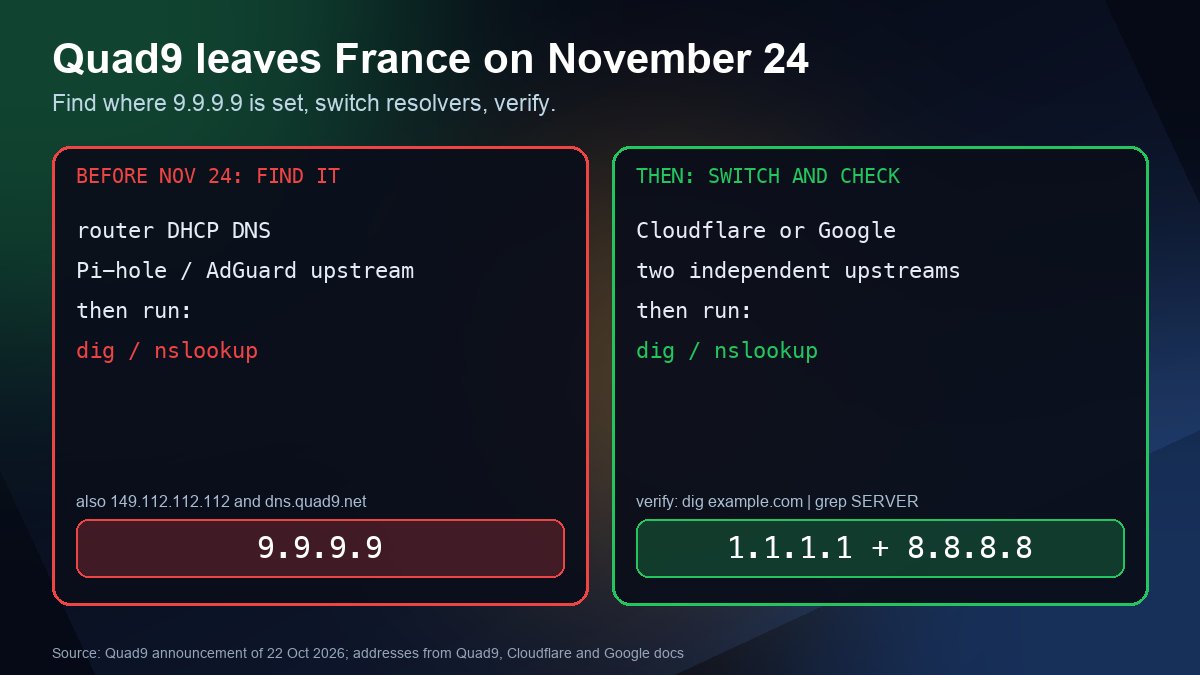
Short answer: on October 22, 2026, the Swiss nonprofit behind the free Quad9 DNS resolver (9.9.9.9) announced that it will stop serving users located in France on November 24, 2026, after a Paris court ordered it to block a list of domains in a case brought by beIN Sports. Quad9 says it will not block those domains for anyone else. If you are not in France, nothing about your setup needs to change. If you are in France, or you run a router, Pi-hole, office network or server there that uses Quad9, switch to another resolver before November 24 and check that the change actually took effect.
This guide is about the DNS side of the story: who is affected, how to find every place Quad9 is configured, what to use instead, and how to verify it. It takes no position on the underlying copyright dispute.
What happened
- The case. beIN Sports asked a French court to force Quad9 to block resolution of domains it says carry pirated sports streams. TorrentFreak reports that the blocking order, first issued in May, has grown to 58 domain names.
- The ruling. On October 21 the Paris court ordered Quad9 to comply or pay a penalty of 1,000 euros per day, far below the up to 580,000 euros a day that beIN had asked for. Quad9 calculates that the penalty would run until the blocking measures end on November 14.
- Quad9's answer. Quad9 describes recursive DNS as a neutral service and refuses to alter answers. It also says it cannot block for French users only, because the service needs no sign-up and keeps no list of users by country. Blocking for everyone would satisfy the court, but Quad9 refuses to apply a French order worldwide, so it will withdraw from France instead.
- More cases behind it. Quad9 says roughly 20 other blocking cases are pending in France.
As of the announcement, TorrentFreak reported that Quad9 had not yet decided how it will stop serving French users. We do not know whether lookups from France will time out, return errors or something else on the day, so treat November 24 as the latest safe date to have moved, not a date to test.
Who is affected
Quad9 is a recursive resolver. That is the server your device or router asks when you type a domain name, as RFC 8499 defines the term. It is not the authoritative nameserver for your own domain, so your website's DNS records, nameservers and email routing are not affected.
The people and systems that can be affected are the ones in France that send their lookups to Quad9:
- Home routers whose DHCP settings hand out 9.9.9.9 to every device
- Phones using Android Private DNS with the hostname
dns.quad9.net, or a Quad9 app profile - Browsers with secure DNS pointed at Quad9 (Firefox and Brave let you choose a provider)
- Pi-hole, AdGuard Home, Unbound or dnsmasq servers that use Quad9 as the upstream
- Office networks, servers and containers with Quad9 in
/etc/resolv.conf, DHCP scopes or Group Policy
Outside France you can leave things as they are, though it is a good moment to make sure no single resolver is a single point of failure for you.
Step 1: find where Quad9 is configured
Quad9 publishes these service addresses. Search your configs for any of them:
| Quad9 service | IPv4 | IPv6 | Hostname (DoH and DoT) |
|---|---|---|---|
| Recommended (malware blocking, DNSSEC) | 9.9.9.9, 149.112.112.112 | 2620:fe::fe, 2620:fe::9 | dns.quad9.net |
| Secured with ECS | 9.9.9.11, 149.112.112.11 | 2620:fe::11, 2620:fe::fe:11 | dns11.quad9.net |
| Unsecured (no malware blocking) | 9.9.9.10, 149.112.112.10 | 2620:fe::10, 2620:fe::fe:10 | dns10.quad9.net |
Then check what each device is really using:
# macOS
scutil --dns | grep nameserver

# Linux with systemd-resolved
resolvectl status

# Windows PowerShell
Get-DnsClientServerAddress -AddressFamily IPv4

# Linux or macOS: search config files for Quad9 addresses
grep -rEn "9[.]9[.]9[.]|149[.]112[.]112[.]|2620:fe::|quad9" /etc 2>/dev/null
Also open your router's DHCP or DNS page, your Pi-hole or AdGuard upstream list, and the secure DNS setting in each browser. Quad9 runs a test page at on.quad9.net that tells you whether you are currently using it. It lists the usual reasons for a surprising "No" or "Yes": a browser that defaults to Cloudflare, iCloud Private Relay, a VPN client with its own DNS settings, or a mix of Quad9 and non-Quad9 addresses.
Step 2: pick a replacement
You have three realistic options. None of them is permanent proof against legal pressure, so decide based on what you need, and avoid a setup that depends on one provider.
| Option | Addresses | Good to know |
|---|---|---|
| Your ISP's resolver (the default) | Handed out by your router through DHCP | Zero setup, but you inherit whatever filtering your ISP applies and it is usually not encrypted. |
| Cloudflare 1.1.1.1 | 1.1.1.1, 1.0.0.1, 2606:4700:4700::1111, 2606:4700:4700::1001 | Cloudflare describes the standard resolver as having no content filtering. The 1.1.1.2 variant blocks known malware, which is the closest match to Quad9's threat blocking. DNS over TLS hostname: one.one.one.one. |
| Google Public DNS | 8.8.8.8, 8.8.4.4, 2001:4860:4860::8888, 2001:4860:4860::8844 | A plain, widely reachable resolver that also offers DNS over TLS on the hostname dns.google. Google advises writing down your current settings before you change them. |
If you used Quad9 mainly for its malware and phishing blocking, Cloudflare's 1.1.1.2 or a DNS filter you run yourself replaces it. If you used Quad9 only as "a resolver that is not my ISP", either public option works. Our comparison of free DNS providers covers more choices, and DNS over HTTPS explained helps you decide whether to encrypt lookups.
One honest caveat: French courts are also hearing cases against other resolver operators. TorrentFreak reports that in October the Paris court refused beIN's penalty requests against Cloudflare and several VPN providers, because they had blocked at least some of the listed domains. Providers' policies can change, so keep your configuration easy to change and read the provider's own status pages and blog now and then.
Step 3: change it everywhere
- Router. Replace the Quad9 addresses in the DHCP or WAN DNS settings. Enter every address for the provider you choose (both IPv4 addresses, and IPv6 if your network uses it).
- Android. In Settings, search for Private DNS and replace
dns.quad9.netwithone.one.one.one(Cloudflare) ordns.google(Google), or set it back to Automatic. - Browsers. In Firefox, see Mozilla's guide to DNS over HTTPS protection settings and choose a provider or turn it off. Brave has the same option under Security.
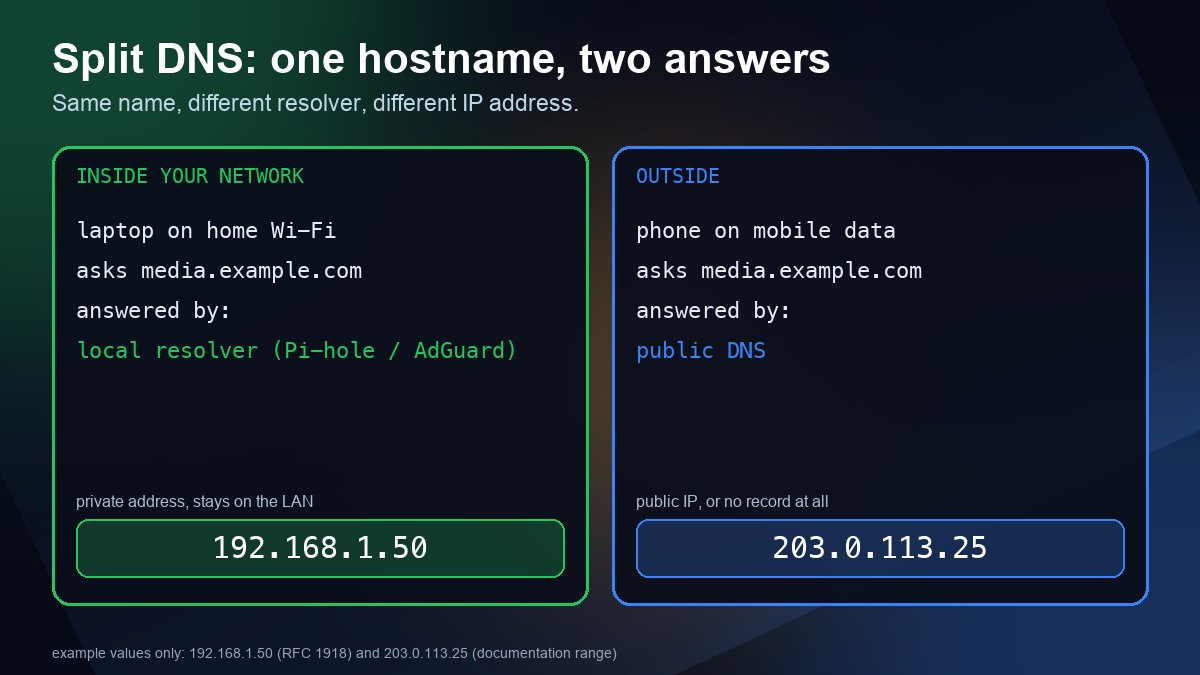
- Pi-hole, AdGuard Home, Unbound, dnsmasq. Swap the upstream servers, or let Unbound resolve directly from the root servers. If you use split DNS for a home server, see our split DNS guide, because your local overrides sit in front of these upstreams.
- Servers and containers. Update
/etc/resolv.conf, netplan or systemd-resolved, DHCP scopes and Group Policy. Look in Docker daemon settings, Kubernetes CoreDNS forwarders and CI images too, since those often hard-code 9.9.9.9.
Use at least two independent upstreams where the software allows it, for example Cloudflare and Google, so a problem at one does not take down name resolution for the whole network. When you add several addresses for one provider, put all of them in, as Quad9 itself advises for its own service.
Step 4: verify the change
# Which server answered?
dig example.com | grep SERVER

# Ask a specific resolver directly
dig +short A example.com @1.1.1.1
dig +short A example.com @8.8.8.8

# Windows
nslookup example.com 1.1.1.1

# Clear local caches after changing settings
ipconfig /flushdns                       # Windows
sudo resolvectl flush-caches             # Linux, systemd-resolved
sudo dscacheutil -flushcache; sudo killall -HUP mDNSResponder   # macOS
Then visit on.quad9.net again. After the switch it should say you are not using Quad9. If it still says yes, something upstream of your device (a router, VPN or browser setting) is still sending queries there. Our guide to querying a specific DNS server with nslookup and dig explains the commands in more detail, and the DNS lookup tool and nameserver lookup let you check a domain from a browser.
If you run websites or email, not just a network
- Your DNS hosting does not change. Quad9 does not host your zone. Nothing about your A, MX or TXT records depends on it.
- Do not use one resolver to check propagation. If 9.9.9.9 was one of your test resolvers and you test from France, it will stop answering. Compare at least two independent public resolvers, as described in our DNS propagation guide.
- Monitoring and scripts. Search uptime checks, deployment scripts and CI jobs for hard-coded 9.9.9.9 and 149.112.112.112. A forwarder that silently fails can look like an outage of your own service.
- DNSSEC checks. Quad9 says DNSSEC validation is enabled on all its resolver addresses. If you test validation with a particular resolver, our DNSSEC check guide shows how to confirm it with another one.
Sources
- Quad9: Farewell, France (October 22, 2026)
- TorrentFreak: DNS Resolver Quad9 Will Leave France After Court Orders Piracy Blocking Penalty (October 22, 2026)
- Quad9: service addresses and features
- Quad9: are you using Quad9? (test page)
- Cloudflare: 1.1.1.1 resolver IP addresses
- Google Public DNS: get started and configure your device
- Mozilla Support: DNS over HTTPS
- RFC 8499: DNS Terminology (recursive resolver)
Frequently asked questions
Is Quad9 shutting down?
No. Quad9 announced that it will stop serving users located in France on November 24, 2026 after a Paris court ruling in a case brought by beIN Sports. It has not announced any other country or a worldwide shutdown.
Do I need to change my DNS settings if I live outside France?
No. The announcement covers users located in France only. It is still sensible to avoid depending on a single resolver, so add a second independent upstream if your router or server allows it.
Does this affect my website or my domain's DNS records?
No. Quad9 is a recursive resolver that looks names up for its users. It does not host your zone or act as your nameserver, so your records and email routing do not depend on it.
How do I know whether my network still uses Quad9?
Open on.quad9.net, then check your router, Pi-hole or AdGuard upstreams, browser secure DNS setting and device DNS settings for 9.9.9.9, 149.112.112.112, 9.9.9.10, 9.9.9.11 or dns.quad9.net.